My Role
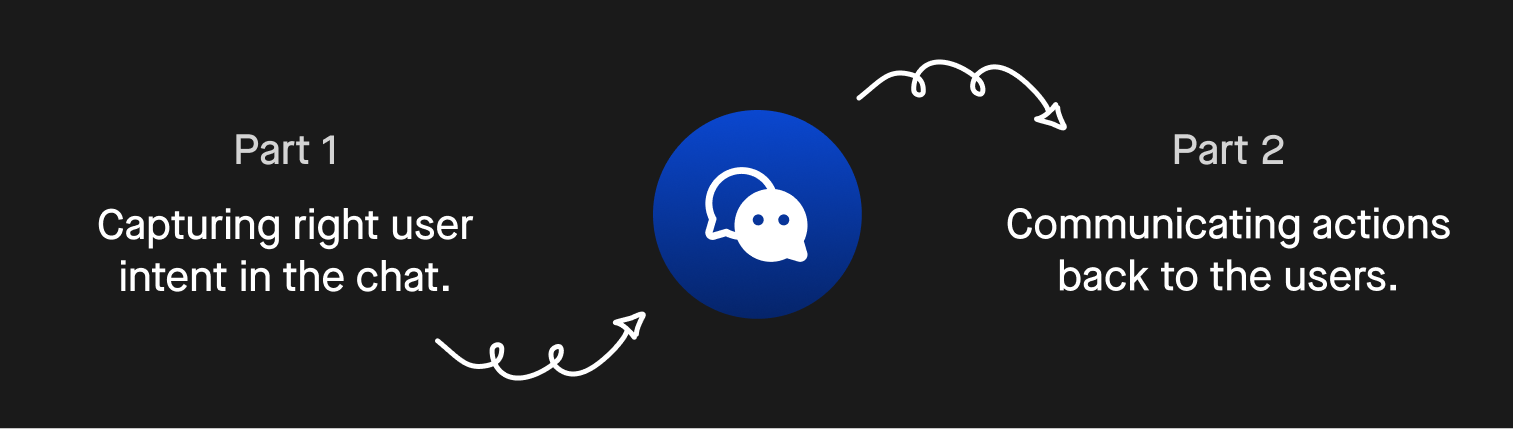
My role was to bring user trust, information clarity, and setup precision to the chat.
I led design across, and worked closely with, product, engineering, and security teams, so every task a user needs has the flows and UI to be done right in the chat. I designed, prototyped, and tested every flow along the way.
- Role
- Product Designer II, Design Lead
- Team
- 1 Designer, 1 PM, Many Engineers
- Partners
- Product, Engineering, Security
- Timeline
- Apr – Aug 2026
Agents
BitGo’s custom workflows are powerful.
Users can manage their entire wallet ecosystem in one place. Create policies, approve transactions, manage users and balances, refuel gas tanks, and build automations.
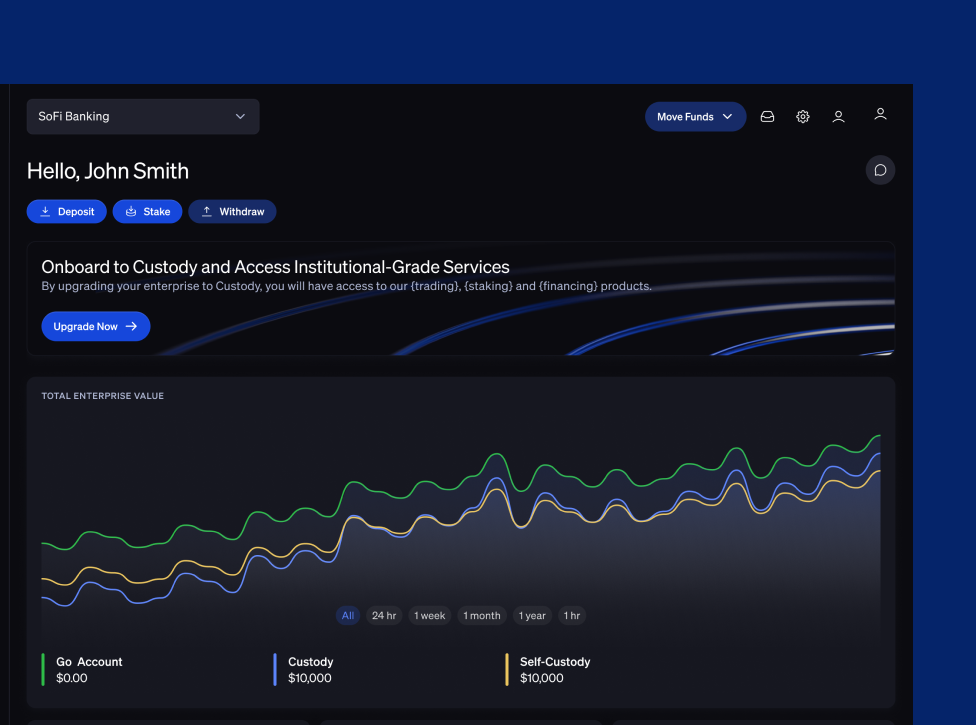
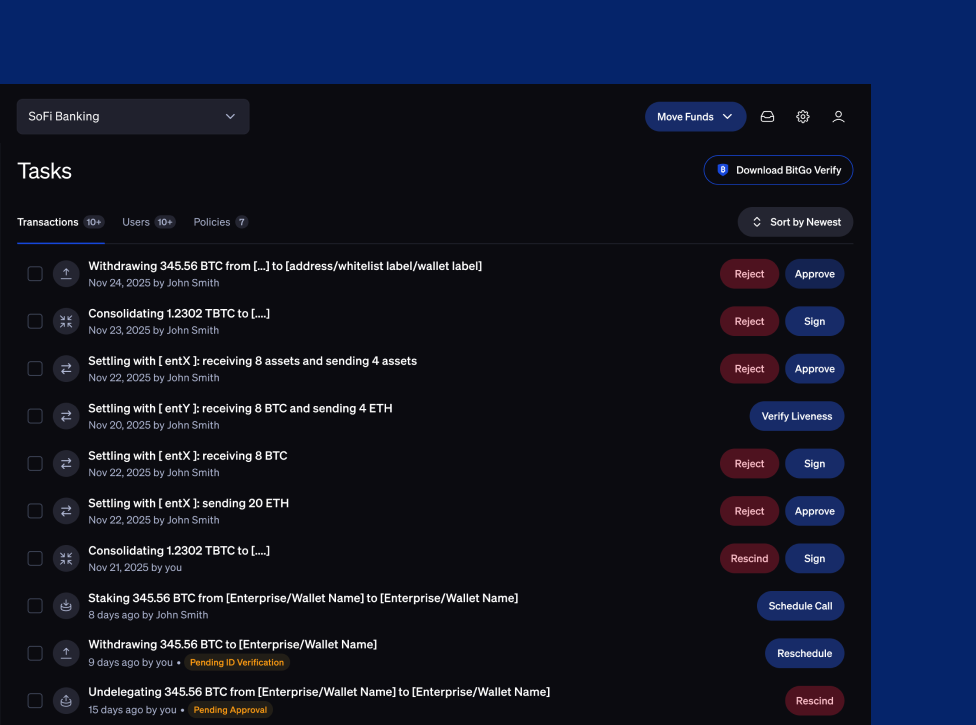
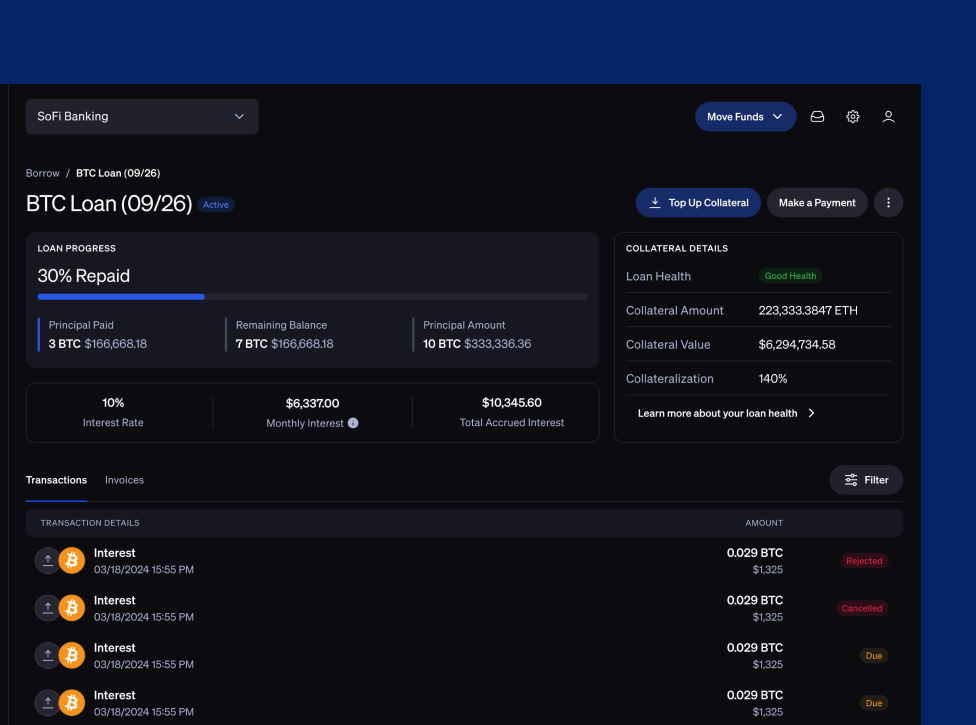
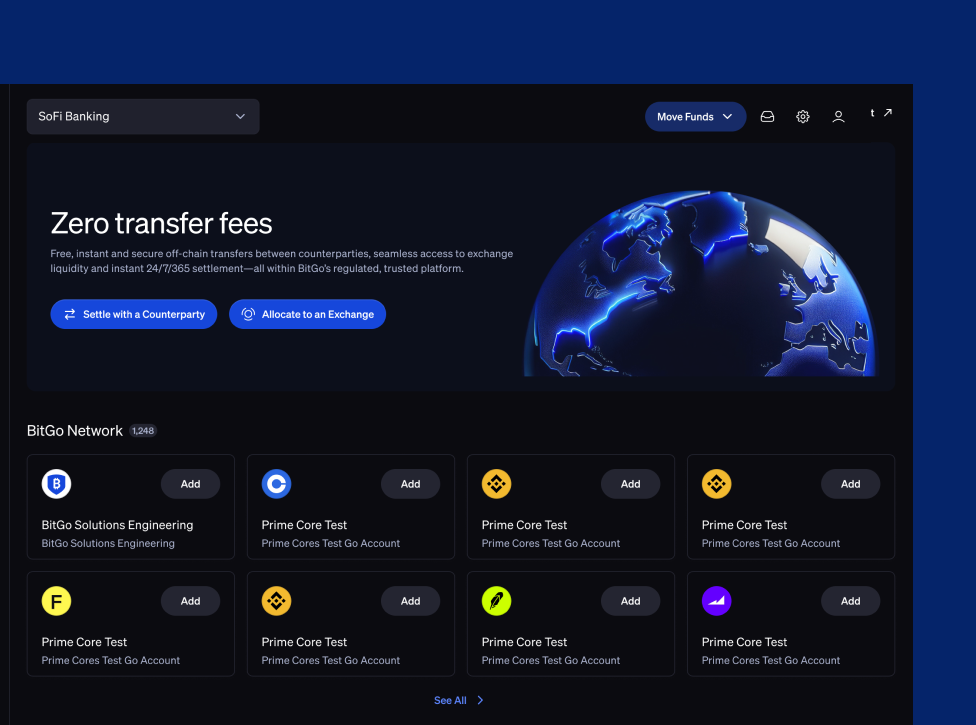
…but that power comes with a real setup problem.
Until now, an agent could only tell admins where to click and what to do. Doing anything meant leaving the chat and navigating through the product to finish tasks on their own.
For agents to work reliably, they need the right harness, a perfect formula to know when to act and when to stop.
The custom agent formula
Admins talk in plain words. Agents need exact settings.
User prompt
Create a task tracking agent.
Agent config
edits: [
  {
    command: "set",
    path: ["name"],
    value: "Task Tracker",
  },
  {
    command: "set",
    path: ["integrations", "CREATE-bitgo-1"],
    value: {
      type: "bitgo",
      name: "BitGo",
      permissions: [
        {
          identifier: "{{wallet-1}}",
          actions: ["read"],
Problem
The setup experience was broken.
Connections required manual setup in settings, so admins jumped between pages and had to leave the chat to finish.
Solution
Connection cards bring setup right into the chat.
Agents keep humans in the loop. Complex decisions need more than an overview, so users authorize with the card.
More use cases for just-in-time interfaces.
Designing for Agents
Designing for agent-human interaction.
Keeping people in the loop on what the agent is doing, so they feel confident in the decisions they make together.
Problem
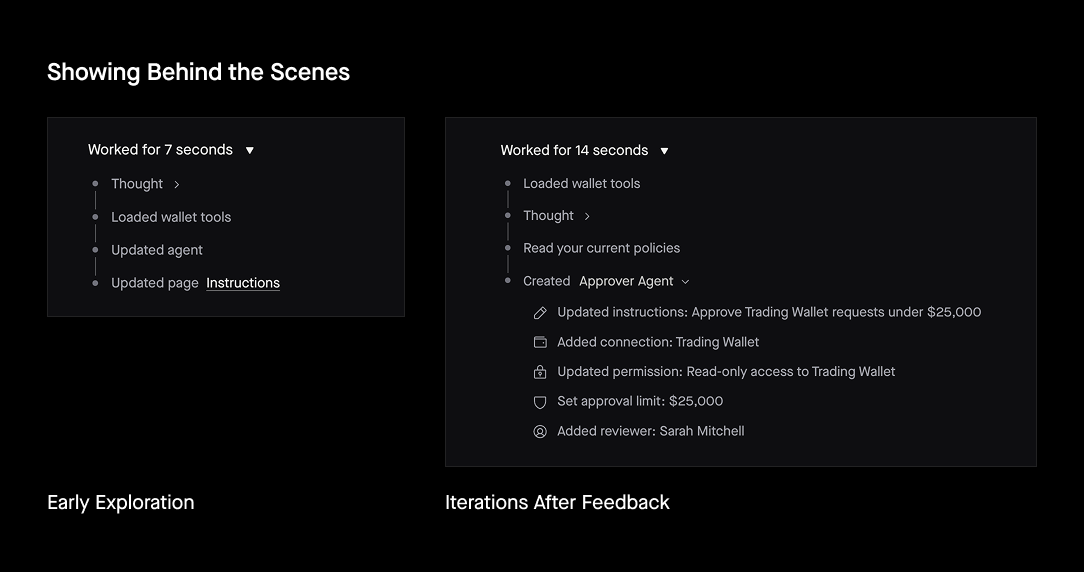
After the agent made edits, nothing seemed to change, and users felt it wasn’t powerful enough for the tasks they wanted to accomplish.
Solution
Tool steps show each edit.
As an improved solution, the agent shows every step it takes right in the chat, then collapses the steps once it finishes, giving users the clarity they need and a clear next step.
Problem
The agent guessed which wallet or person admins meant.
When admins named one exact wallet or person, the agent sometimes made up an entity nobody specified, or sent them to settings to finish the job.
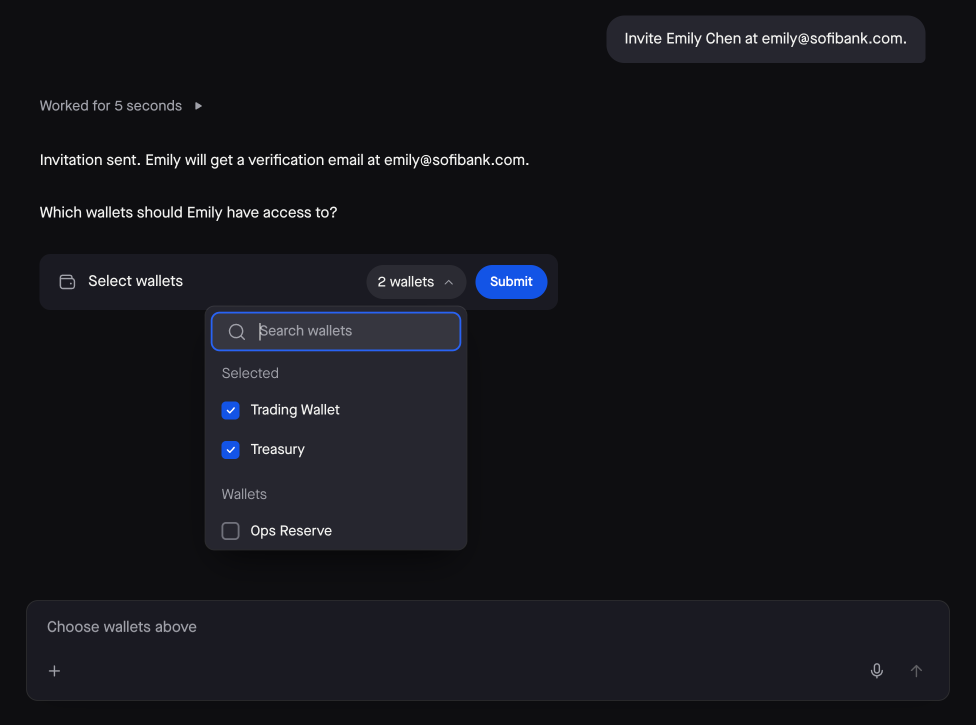
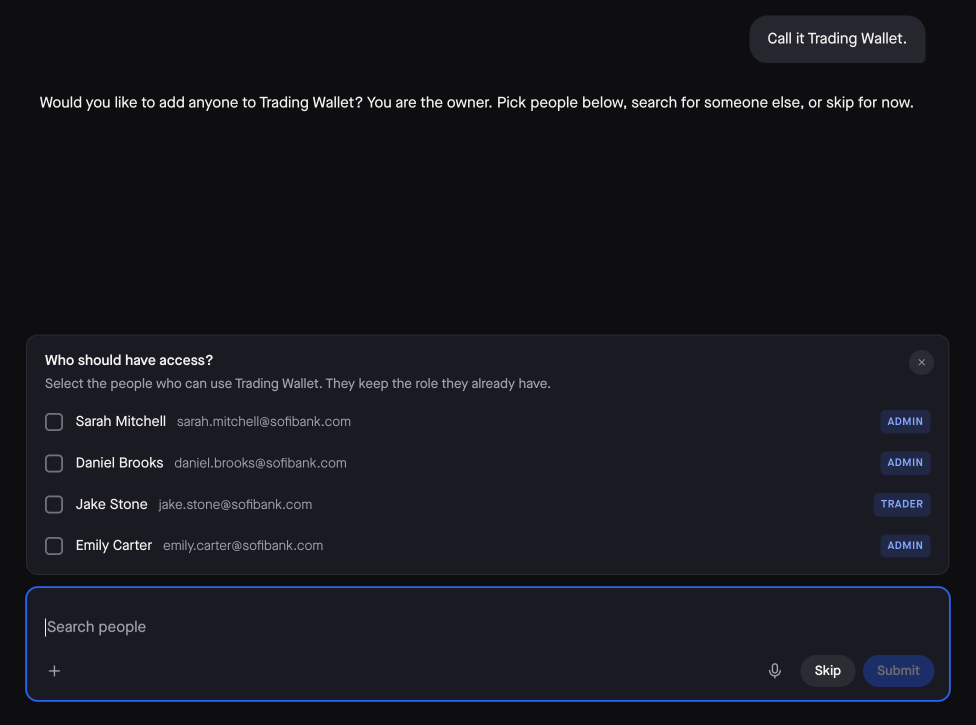
Dropdowns to continue an activity.
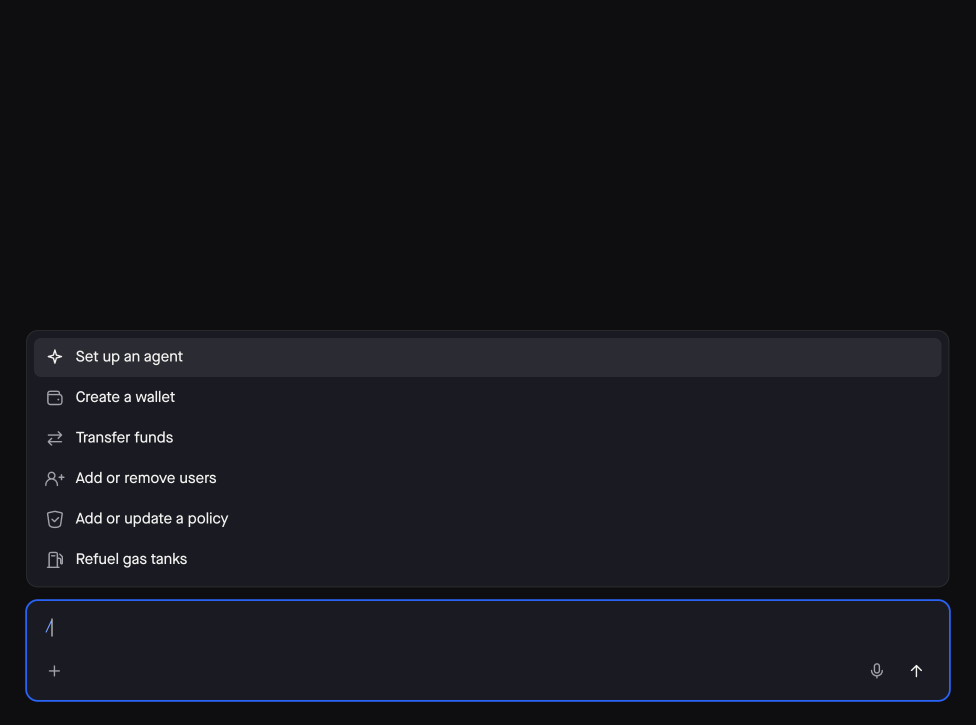
Smart workflows for frequent tasks.
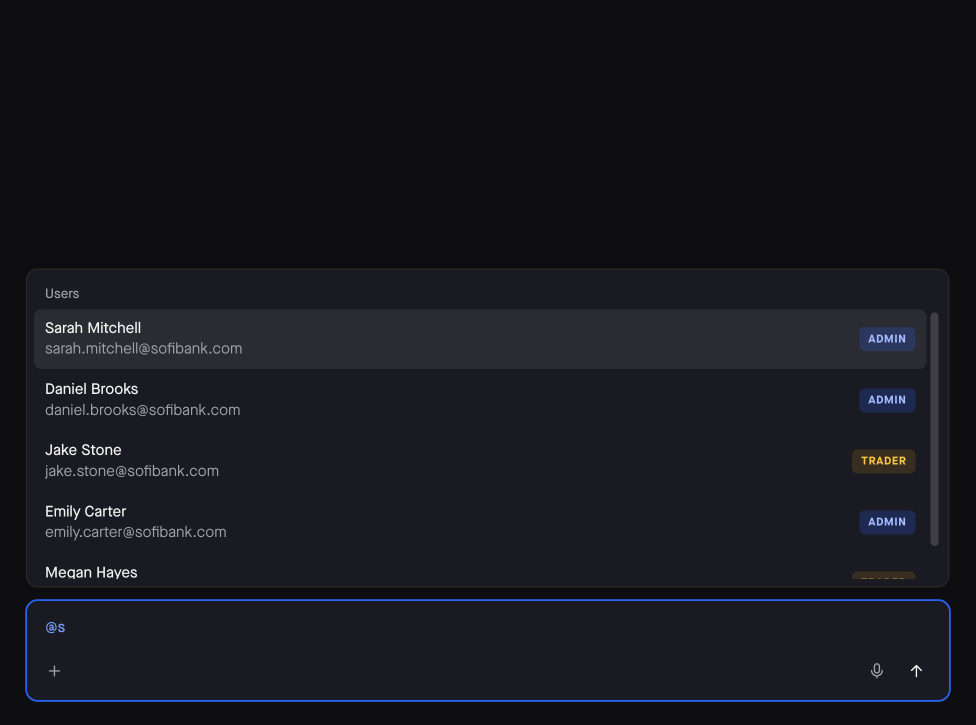
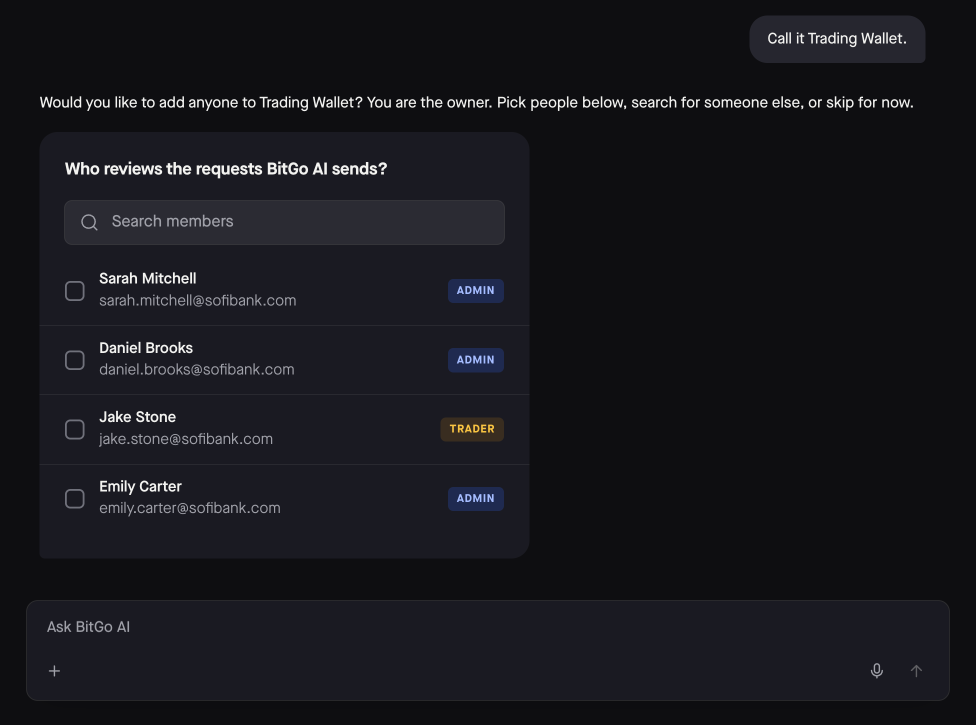
Tag people to trigger an action.
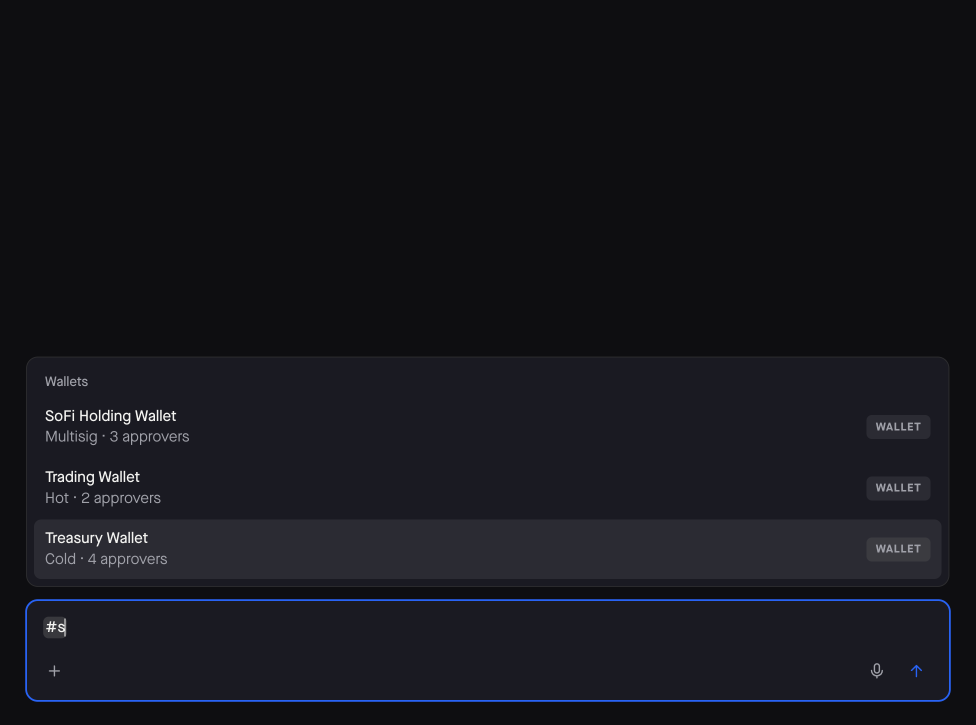
Select a wallet, never the wrong one.
Exploration
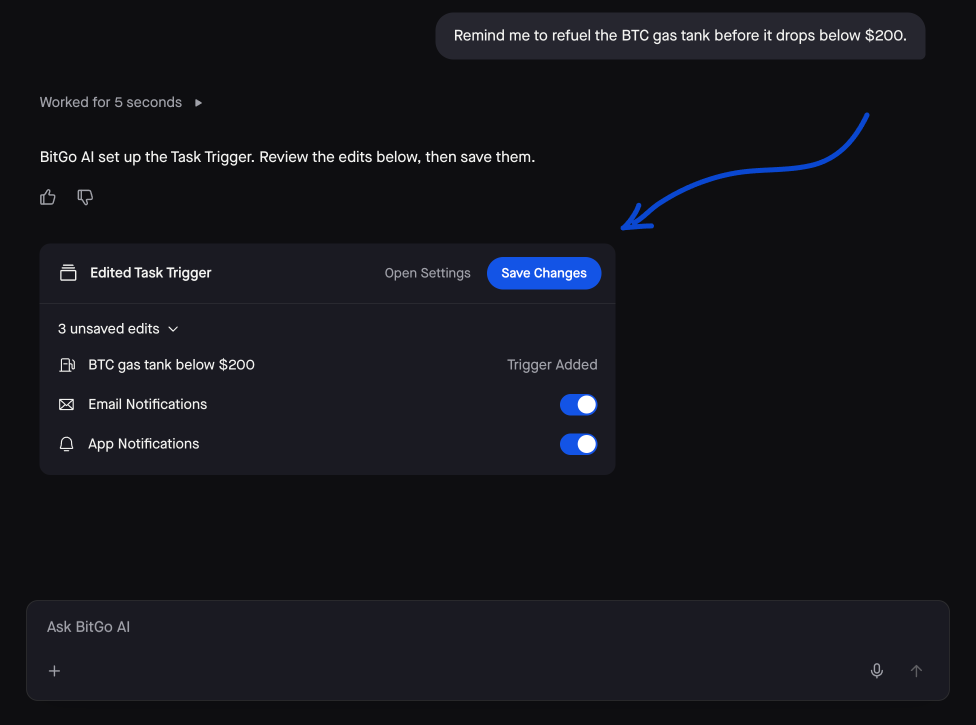
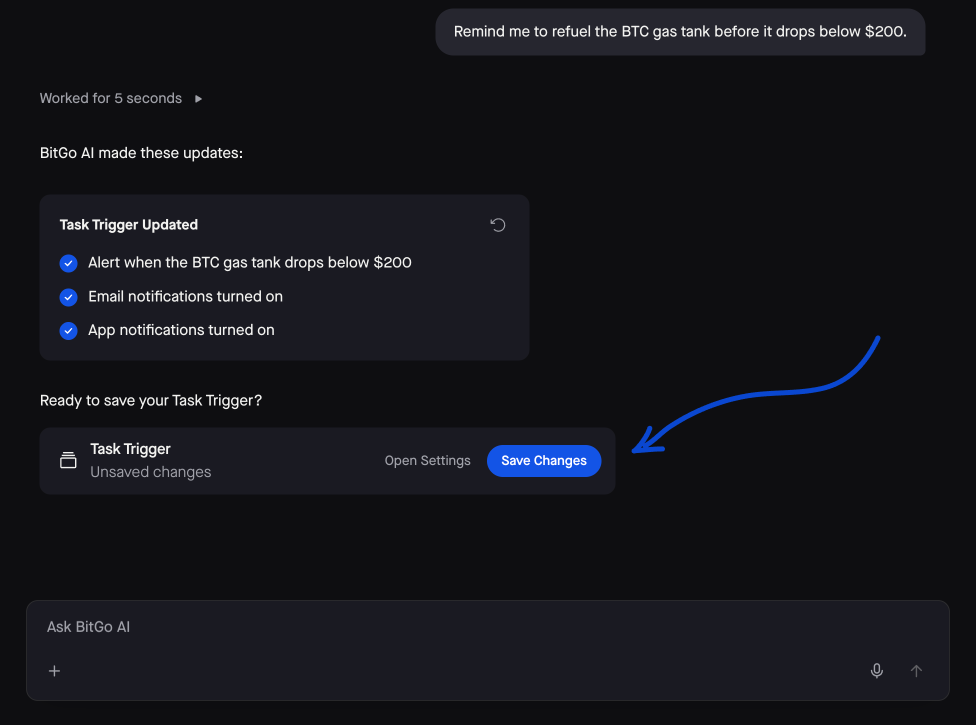
I explored various ways to bring agent edits and a final review into the chat, before any changes are applied.
Edits in a card.
Every edit the agent makes is listed in one card, with options to tweak settings the user never mentioned, so they can change or keep them before saving.
Summarized edits.
A recap card shows only what was updated, and the agent then asks whether to save the changes.
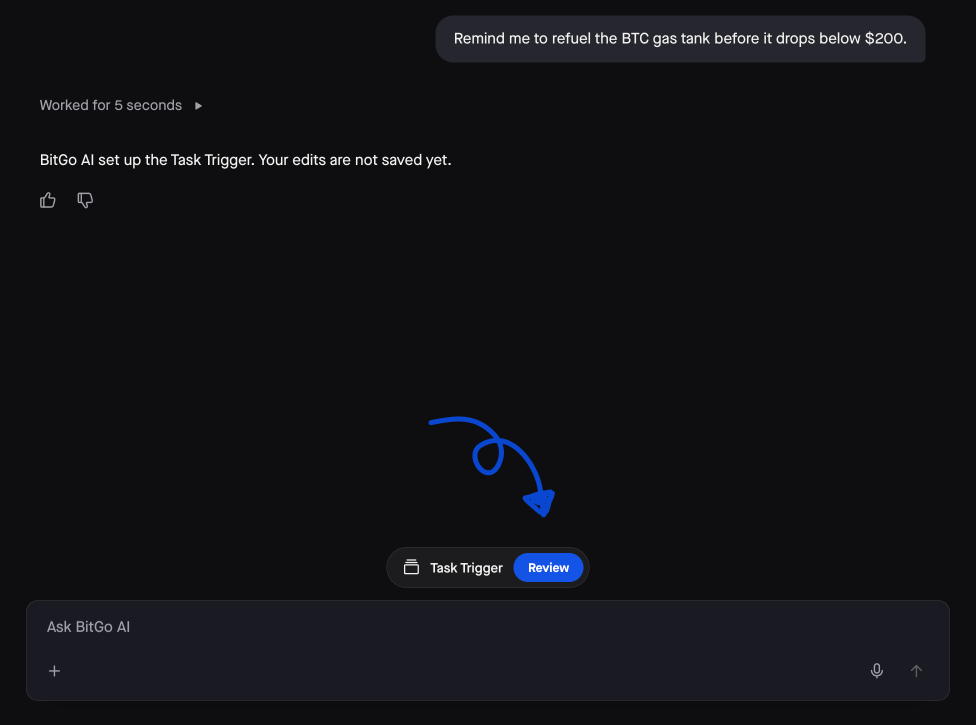
A review pill above the input.
A pill above the chat input tracks unsaved edits and links straight to review, so people keep their flow and approve all edits at once.
Step 1
I iterated on designing a survey tool that lets users answer the agent’s questions directly within the primary chat experience.
Step 2
Giving users clarity on exactly what the agent is working on right now.
Step 3
Using review pills as a consent mechanism for users to approve and authorize changes or execute transactions.
Engineering × Design
Working in real code improved my designs.
Prototypes in chat became the source of truth.
I was able to iterate, validate, and test various experiences with engineering, product, and security before it shipped.
Reflection
- Learning how to work with agents, the technicalities behind them, and how it all ties into the industry I work in was one of the most valuable lessons.
- Communicating ideas, exploring approaches, and finding moments of delight with design and code is truly powerful.
- Understanding users is what makes agents feel personal.